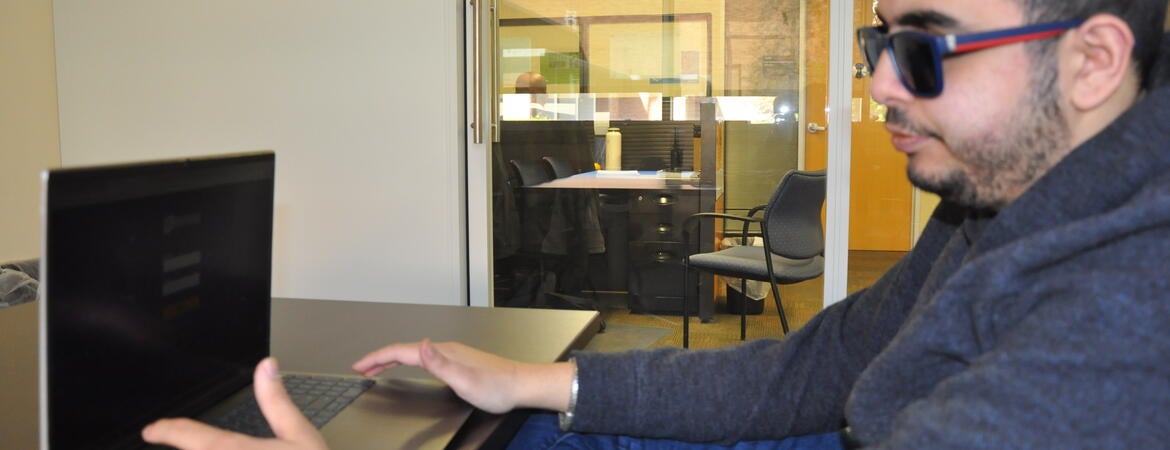
Kald Alhomse, 20, a second-year biology student who is blind, has learned to navigate UC Riverside’s campus on his own, using a white cane to guide his way.
Just as important as getting to his classes, Alhomse relies on accessibility technology to follow his lectures and complete his coursework. In his backpack, he carries a tablet with a Braille keyboard to take notes and a laptop with a screen reader, which converts text to speech, to log in to Canvas and other campus websites.
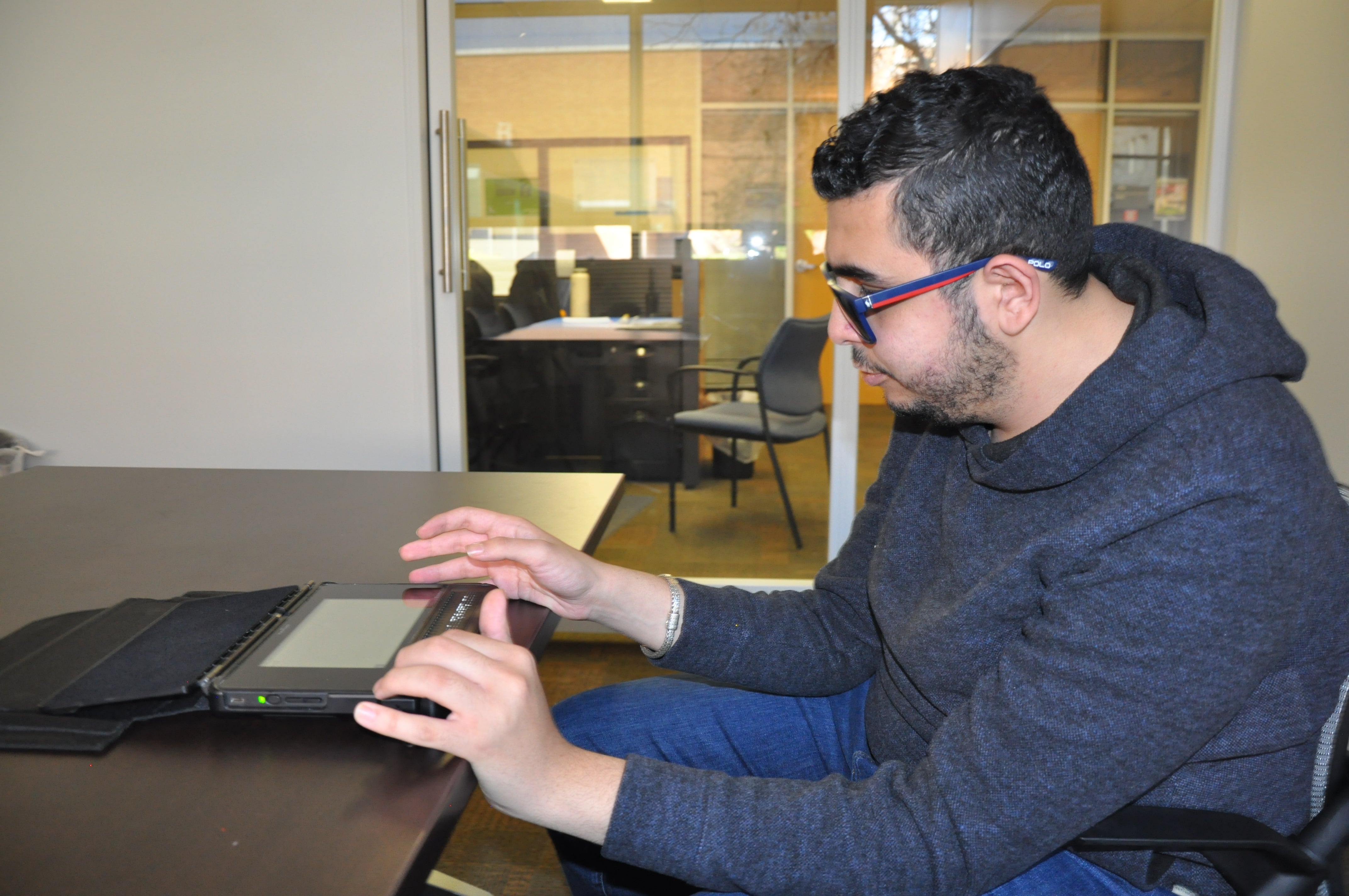
Those and other accommodations help him access the resources he needs for his studies, but he’ll run into obstacles occasionally if the material isn’t in a format that can be converted to Braille or read by the screen reader.
UCR is launching a new effort to ensure that digital resources are available to everyone, including individuals with disabilities. It’s part of a UC system-wide policy to meet recent changes to the Americans with Disabilities Act that all UC campuses and national labs must comply with by an April 24 deadline.
Chancellor S. Jack Hu and Provost and Executive Chancellor Elizabeth Watkins announced those requirements in a Jan. 29 campus message.
UCR formed a Digital Accessibility Steering Committee that has been working with faculty and staff experts to review campus practices, identify priority areas, and procure new software to help make those changes. Its goal is to ensure electronic content is accessible to everyone including individuals who are blind or with low vision, are deaf or hard of hearing, and have limited motor skills.
Alhomse said designing courses and websites with accessibility allows students like himself a fairer opportunity to keep up with their courses at the same pace as others.
“I feel like UCR’s efforts in making this technology more accessible, maybe even more efficient, more screen-reader friendly, is a really good move for all the students that are in my shoes or that need other accessibility tools,” he said.
Campus leaders say almost everyone who works at UCR will need to be part of the efforts, from instructors designing courses to website owners to anyone creating digital content, including emails and social media posts.
Ken Baerenklau, associate provost and chair of the Digital Accessibility Steering Committee, described it as a change in mindset where accessibility is incorporated from the start.
“There needs to be a shift in our thinking so that the first time we produce something we put more features into it and we’re more aware of its accessibility and its readability rather than creating a first version that then needs adjustments later because it’s not working for everybody,” he said.
UCR’s digital accessibility website has been revamped and expanded to provide the campus a guide on how to get started. It outlines the new guidelines, explains what digital accessibility should look like, and describes the best practices in several areas such as writing reports, generating audio and video content, and creating presentation slides.
The XCITE Center for Teaching and Learning is offering resources on how to incorporate accessibility in teaching as well as how to use the UDOIT tool in Canvas to identify and fix accessibility issues.
The Digital Accessibility Steering Committee will spotlight different topics each week in a 10-week digital declutter email campaign, starting Feb. 9.
Some of the top problems identified in a campus report included websites with poor color contrast that individuals with low vision or color blindness cannot read; interactive elements such as buttons or links that could not be accessed by a screen reader or other assistive technology; and headings, labels, and lists that were not coded correctly.
Will Pines, an accessible technology specialist with the Student Disability Resource Center (SDRC), works with students who need assistance, providing them assistive technology and/or accommodations with their instructors for issues like recording lectures or taking tests.
He estimates between 10 to 20 percent of students need assistance to access digital technology. That also includes individuals with psychological conditions like being on the spectrum or learning disabilities such as dyslexia.
It will often take students longer to complete their work if a course or website is poorly designed, Pines said. In some cases, the SDRC will convert material to Braille, which typically is ten times the size of a regular text, and can be more complicated in subjects like math or science.
“In the educational environment, time is one of the most valuable things that you have,” Pines said.
Website designers can improve sites by adding navigational points such as headings and bookmarks, including captions in video, and using PDFs saved as Word, rather than digitally printed, Pines said.
Beth Claassen Thrush, director of strategic and special projects in the chancellor’s and provost’s offices and a member of the Digital Accessibility Steering Committee, compared the efforts to how features like ramps and automatic doors are widely accepted in public spaces to improve accessibility for individuals with limited mobility or other needs.
“In the same way, because so much of our life and work together and our learning is in the digital space, we need to have same kinds of entrances and ramps that are really important for people with specific disabilities,” she said.
Maria Keller, associate director of the Student Disability Resource Center, said improved accessibility gives students the tools they need to succeed.
“It’s definitely going to improve students’ ability to independently function in their academic journeys,” she said.
For more information about creating accessible digital content and remediating or archiving existing content, visit UCR’s digital accessibility website.